Small Business Automation for Service Operations
Running a local service business often feels like a balancing act between providing high-quality care and managing a mountain of administrative tasks. Small business automation is the key to reclaiming your time while ensuring no client falls through the cracks.
- Admin saved weekly
- 12+ Hours
- Revenue recovery
- 30%
- Apps for clients to download
- 0
The Impact of Workflow Automation for Small Business
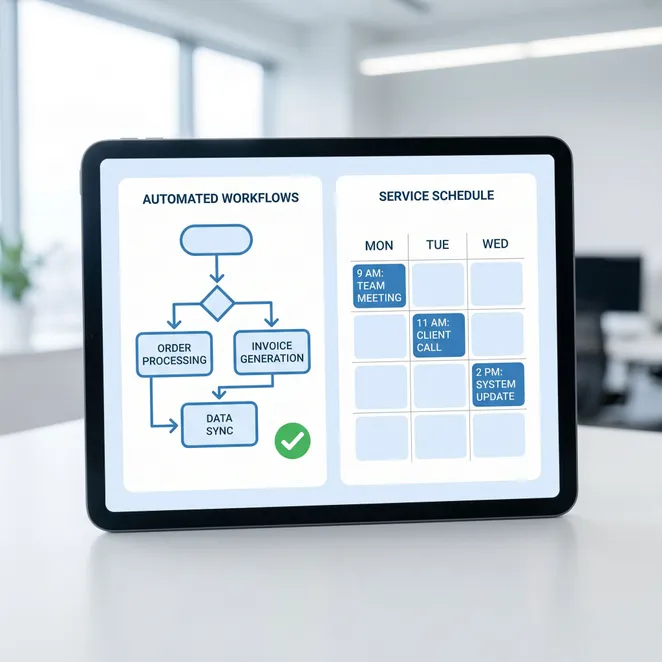
When you implement workflow automation for small business, you shift from a reactive state to a proactive one. Instead of waiting for the phone to ring, your systems work in the background to maintain your calendar and engage your community.
- Eliminate manual data entry between platforms
- Reduce the mental load of tracking client history
- Ensure consistent follow-up for every visitor
- Free up staff to focus on service delivery
Identifying Business Automation Ideas
The best place to start is to automate repetitive tasks that consume your morning or evening hours. Look for high-frequency, low-complexity actions like appointment reminders and rebooking outreach.
Essential Business Automation Tools for 2026
| Tool Category | Primary Benefit | Manual Task Replaced |
|---|---|---|
| Scheduling | 24/7 Availability | Phone Tag |
| SMS Rebooking | Revenue Retention | Follow-up Calls |
| CRM Sync | Data Integrity | Manual Entry |
How to Reduce Empty Time Slots Automatically
One of the most significant drains on a service business is the 'dead zone' in the calendar. Smart business automation software can identify these gaps and proactively offer them to your most loyal clients to reduce empty time slots.
The Psychology of Zero-Friction Booking
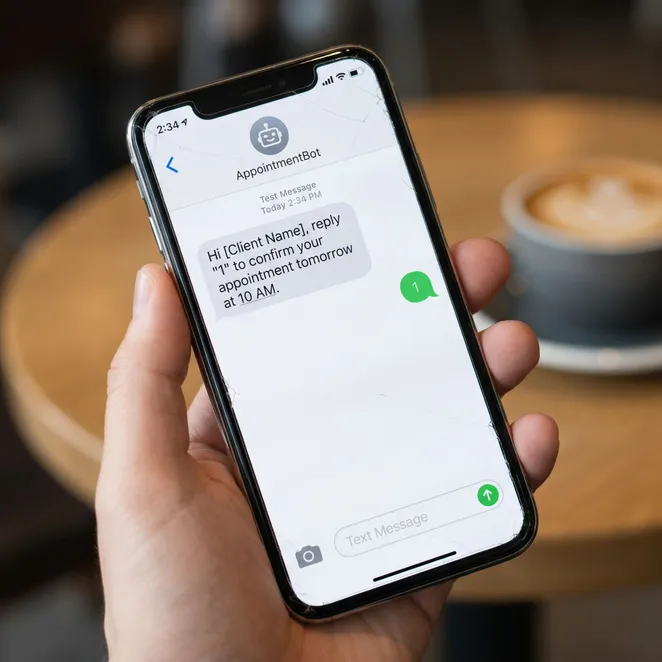
Modern consumers avoid friction. If a client has to log into a portal or find a link in an old email, they might delay booking. Small business workflow automation that utilizes SMS allows them to book with a single character reply.

Steps to Implement Business Automation
Audit Admin Tasks
Track where you spend more than 30 minutes a day on non-service work.
Connect Your Stack
Ensure your booking platform and communication tools can talk to each other via API.
Set Rebooking Rules
Define when a client is considered 'drifting' based on their service history.
Launch and Monitor
Start with one automation flow and measure the increase in rebooking rates.
Automation for Business: Do's and Don'ts
Do
- Use personalized data like the client's preferred provider
- Automate the tasks that happen every single day
- Keep SMS messages short and actionable
Don't
- Don't send generic marketing blasts to everyone
- Don't replace the human touch during the actual service
- Don't use automation to spam clients with irrelevant offers
Recovering Drifting Clients with SMS
Client drift is a silent revenue killer. By the time you realize a regular hasn't been in for three months, they may have already found a new provider. Automation for business allows you to catch these clients exactly when they are due.
Why SMS Outperforms Email
Email open rates for small businesses continue to decline, while SMS boasts near-instant engagement. For service pros, a text message feels more personal and urgent than a newsletter.
Integration: Making Your Software Work Harder
You don't need to replace your current booking system. The most effective business automation tools act as a layer on top of platforms like Square, Vagaro, or Mindbody, pulling data to trigger smart actions.
How rebook.help Streamlines Your Operations
At rebook.help, we specialize in the most critical part of your workflow: the rebooking. Our system integrates with your existing calendar to identify drifting clients and offers them specific slots via reply-to-book SMS.
Automation isn't about removing the human element; it's about removing the hurdles that prevent humans from connecting with your business.
Common Questions About Service Automation
Will automation make my business feel impersonal?+
Do I need to be tech-savvy to set this up?+
How does reply-to-book work?+
Trusted by over 500 salon and spa owners to manage client retention.
Updated June 2026
Ready to Automate Your Rebooking?
Stop chasing drifting clients and start filling your calendar automatically with rebook.help.
Explore more in Operational Efficiency & Automation
AI Receptionist and Agentic Operations for Service Businesses
Automate Repetitive Tasks to Reclaim Your Schedule
Automating Salon and Spa Operations for Maximum Efficiency
Operational Efficiency & Automation Hub
Process Automation and Business Optimization for Service Providers
Workflow Automation for Service Businesses