Advanced Square Appointments Automation Guide
Managing a busy schedule requires more than just a digital calendar; it demands a strategic approach to square appointments automation to ensure no client is left behind. By leveraging advanced workflows, you can eliminate manual outreach and focus on your craft.
- Advanced Guide
- Square Integration
- Automation Tips
- Retention Strategy
Understanding Square Appointments Hacks for 2026
To truly scale your service business, you need to look beyond basic settings. These square appointments hacks focus on bridging the gap between a booked appointment and a long-term loyal client through smart data utilization.
- Average client drift rate without automation
- 45%
- Increase in rebooking speed via SMS
- 3x
- Manual texts required for follow-ups
- 0
The Core Pillars of Appointment Automation
- Automated drift detection based on service frequency
- Calendar-aware slot suggestions for empty mornings
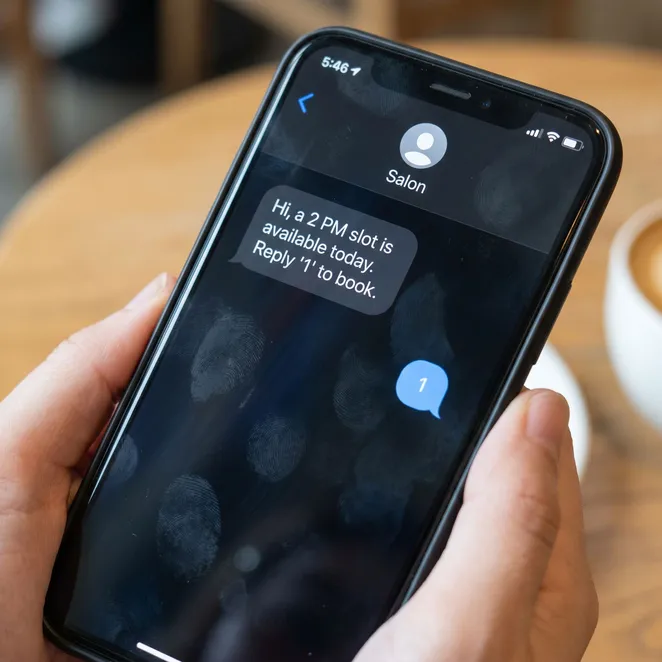
- Low-friction reply-to-book SMS interfaces
- Seamless sync between Square Client Directory and outreach tools
Setting Up Your Automation Workflow
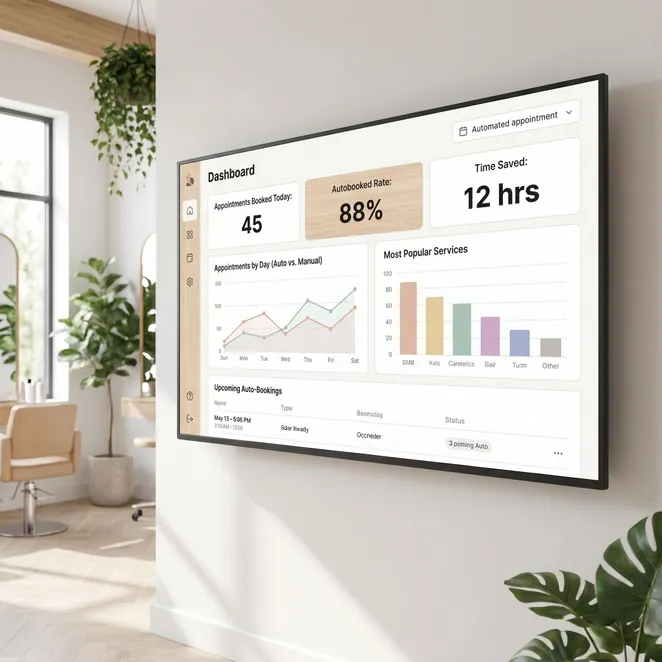
The first step is ensuring your data flows correctly. When you use the right text to book software, your Square calendar becomes a proactive tool rather than a reactive ledger.
Connect Square API
Grant secure access to your Square Appointments calendar and client list.
Define Service Cycles
Set specific rebooking windows for different services (e.g., 4 weeks for fades, 8 weeks for color).
Enable SMS Triggers
Configure automated messages to send when a client misses their typical rebooking window.
Maximizing Calendar Density Automatically
Empty slots are lost revenue that you can never recover. To maximize appointment bookings, your automation should prioritize filling 'awkward' gaps in your schedule that are usually hard to sell.
Comparison: Manual vs. Automated Rebooking
Pros
- Instant response to client intent
- Consistent follow-up for every client
- Zero administrative burden on staff
Cons
- Staff often forget to call drifting clients
- Manual texts are inconsistent and time-consuming
- Phone tag leads to lost booking opportunities
Advanced Square Hacks for Client Retention
One of the best hacks is using Square's 'Notes' field to trigger specific SMS content. By tagging a client as 'VIP' or 'High-Maintenance Color', your automation can adjust the tone and timing of the outreach.
Streamlining Your Salon Operations
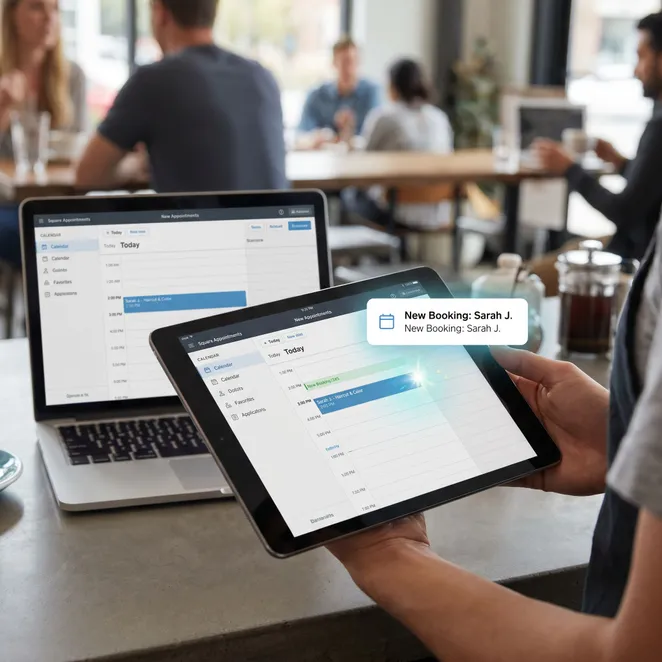
Efficiency isn't just about the service; it's about the admin. Implementing salon workflow automation allows your front desk to focus on the clients in the building rather than those who haven't come back yet.
Filling Last-Minute Gaps
When a cancellation happens, an automated appointment filler can blast a text to your most frequent clients who are due for a visit, offering them the newly opened slot.
Automation Best Practices
Do
- Use the client's first name in every SMS
- Offer specific time slots rather than a general link
- Sync your automation with real-time availability
Don't
- Send more than two follow-up texts per cycle
- Use generic 'marketing' language
- Ignore client preferences for contact
Common Automation Questions
Does this replace my Square Appointments app?+
How does reply-to-book work for the client?+
Can I customize the timing of the texts?+
The Financial Impact of Automation
| Metric | Manual Process | Automated Process |
|---|---|---|
| Staff Time | 5-10 hours/week | < 15 mins/week |
| Rebooking Rate | 60% | 85%+ |
| Client Friction | High (Links/Logins) | Zero (SMS Reply) |
Recovering Drifting Clients
Drifting clients aren't lost; they are just busy. By reaching out at the exact moment they are likely thinking about their next haircut or treatment, you provide a concierge service that they appreciate.
Automation isn't about removing the human touch; it's about making sure the human touch happens every single time, without fail.
Optimizing SMS Delivery Times
Data shows that sending rebooking reminders on Sunday evenings or Monday mornings—when people are planning their week—results in a 20% higher conversion rate than mid-week texts.
The Role of AI in Scheduling
In 2026, automation is evolving to include predictive logic. Your Square data can now predict not just when a client will return, but which specific time of day they are most likely to accept.
Checklist for Square Automation Success
- Verify Square API permissions are active
- Audit client phone numbers for SMS compatibility
- Set up service-specific rebooking intervals
- Test the reply-to-book flow with a staff account
Why Square Users Choose rebook.help
While Square provides the foundation, rebook.help provides the engine. We specialize in the 'invisible' layer of automation that turns your existing client list into a recurring revenue stream without you lifting a finger.
Over 500 Square-based businesses recovered $2M in drifting revenue this year.
Based on aggregate user data as of June 2026.
Real Results from Automated Rebooking
Since integrating rebook.help with our Square Appointments, our Tuesday morning gaps have completely disappeared. Clients love how easy it is to just text back a number.
Getting Started with Advanced Automation
Transitioning to a fully automated retention strategy is simpler than it sounds. By connecting your Square account to rebook.help, you can start recovering drifting clients in less than ten minutes.
Automate Your Square Rebooking Today
Stop losing clients to drift. Start your free trial and see how reply-to-book SMS can fill your calendar.
Explore More Square Strategies
Explore more in Square Appointments Tips
For more information on optimizing your notification settings, check out our guide on the square appointments text reminder system.
Final Thoughts on Automation
The future of service business management is frictionless. By implementing these square appointments hacks, you aren't just saving time—you're building a more resilient, profitable business.
Thank you for reading our comprehensive guide to Square Appointments automation. We update our strategies monthly to reflect the latest API changes and consumer behavior trends.
- Updated June 2026
- Square Certified
- SMS Marketing
- Retention
If you have questions about specific integrations or custom workflows, our support team is available to help you maximize your Square setup.