How to Book Appointments via Text Message
Booking appointments on phone has evolved from frustrating phone calls to seamless, instant interactions. Modern clients prefer the speed of SMS over navigating complex websites or downloading yet another app just to schedule a haircut or a massage.
- Zero-Friction
- SMS Booking
- Client Retention
- 2026 Guide
The Mechanics of How to Book via Text
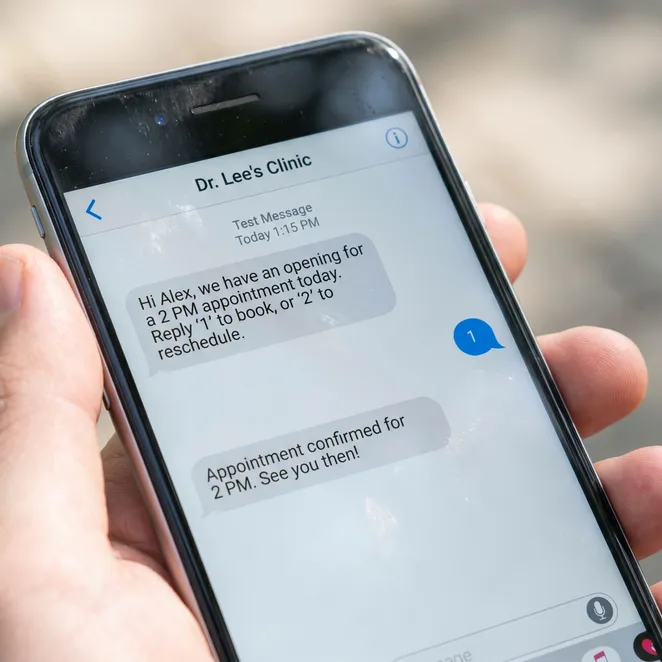
The process of how to book via text relies on a conversational interface that mimics a real human interaction. Instead of a one-way blast, the system sends a personalized invitation based on the client's service history.
Receive Invitation
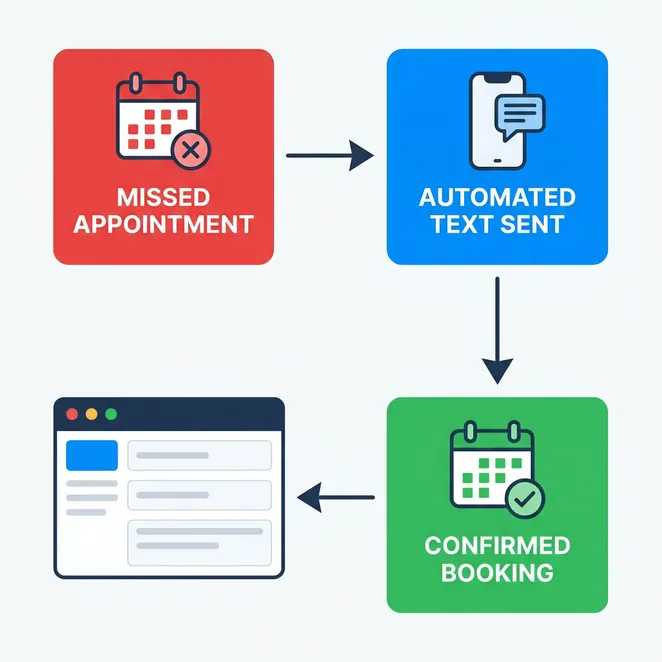
The client receives a text message suggesting a specific time for their next appointment.
Select a Slot
The message includes 2-3 available times. The client simply replies with a number (e.g., '1' or '2').
Instant Confirmation
The system processes the reply and sends an immediate appointment confirmation text.
Why Text to Schedule Appointment Workflows Win
When you allow a client to text to schedule appointment, you remove the psychological barriers of logins and passwords. This 'reply-to-book' model is the ultimate way to reduce booking friction for busy professionals.
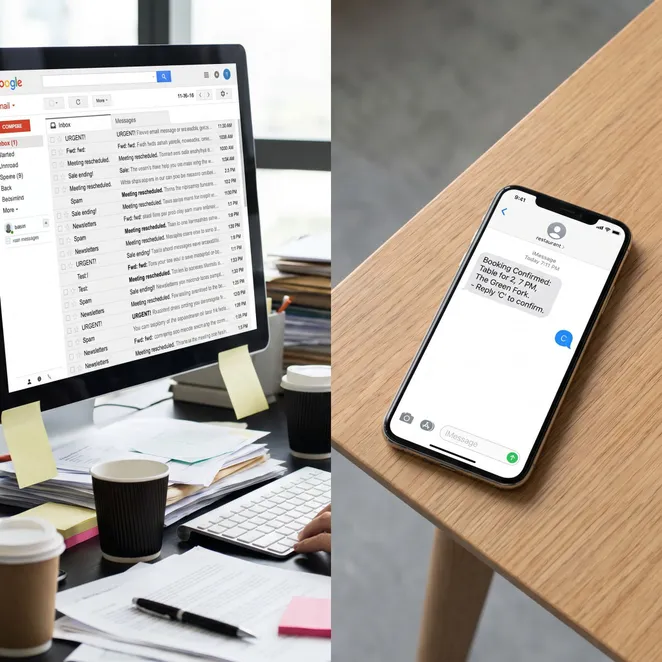
Comparing SMS Booking to Traditional Links
Pros
- No app downloads required
- Works on any mobile device
- Higher response rates than email
- Zero login friction
Cons
- Requires client phone number
- Character limits on messages
- Needs automated backend logic
The Role of the Text Message Booking Bot
Behind the scenes, a text message booking bot manages the logic. It checks your real-time calendar availability and ensures that the slots offered are actually open, preventing double-bookings.
Essential Components of a Booking Text
- Personalized greeting
- Clear service mention (e.g., 'Your 6-week touch up')
- Specific time/date options
- Simple reply instructions
- Opt-out instructions for compliance
Optimizing Your Scheduling Workflow
To maximize efficiency, your text-to-book system should be calendar-aware. This means it prioritizes filling 'dead zones' in your schedule, such as Tuesday mornings or mid-afternoon gaps.
- Higher Conversion vs Links
- 3x
- Booking Speed
- < 10 sec
- Client Preference
- 85%
Common Questions About Text Booking
Do clients need to download an app?+
Does this replace my current booking software?+
What if the client wants a different time?+
Best Practices for SMS Outreach
Do
- Send messages during business hours
- Use the client's first name
- Offer specific, limited choices
Don't
- Send more than one follow-up
- Use overly salesy language
- Forget to include the service price if it changed
Technical Requirements for Implementation
- Verified business phone number (10DLC)
- Integration with a supported POS/Calendar
- Clean client database with mobile numbers
- Automated rebooking logic enabled
The Impact on Client Retention
Client drift is the silent killer of local service businesses. By proactively reaching out via text, you capture the intent to rebook before the client forgets or looks elsewhere.
Switching to reply-to-book SMS was the single biggest revenue driver for us this year. It's like having a virtual receptionist that never sleeps.
Choosing the Right Time to Text
| Service Type | Ideal Rebooking Window | Message Tone |
|---|---|---|
| Haircut | 4-6 Weeks | Casual/Friendly |
| Med Spa/Botox | 3-4 Months | Professional/Reminder |
| Massage | 4 Weeks | Wellness-focused |
Security and Privacy Considerations
Ensuring your SMS booking system is compliant with TCPA and local regulations is vital. Always obtain consent before initiating automated rebooking conversations.
Visualizing the Client Journey
How rebook.help Simplifies the Process
If you are looking to implement these strategies, rebook.help offers a specialized retention engine. It connects to your existing software to identify drifting clients and automates the entire reply-to-book conversation.
Over 50,000 appointments booked via SMS this month.
Trusted by top-rated salons and spas across North America.
Getting Started with Zero-Friction Booking
Transitioning away from manual links doesn't happen overnight, but the results in client loyalty are immediate. Start by identifying your most frequent services and testing a text-based rebooking pilot.
Ready to Fill Your Calendar?
Stop losing clients to drift. Automate your rebooking with zero-friction SMS today.
Further Reading on SMS Workflows
Advanced Rebooking Strategies
For high-volume businesses, consider segmenting your outreach. You might offer different time slots to your VIP clients compared to those who haven't visited in six months.
Handling Last-Minute Cancellations
SMS is the fastest way to fill a sudden opening. A quick 'blast' to a waitlist can fill a chair in minutes rather than hours.
Seasonal Rebooking Campaigns
Use text-to-book for holiday rushes. Proactively offering December slots in October ensures your best clients are taken care of before the rush.
The Future of Invisible Software
As we move through 2026, the trend is toward 'invisible' software—tools that work in the background without requiring the user to learn a new interface. SMS booking is the flagship of this movement.
My clients actually thank me for the texts. It's one less thing they have to remember to do.
Measuring Your Success
Track your rebooking rate and the average time between visits. A successful SMS strategy should noticeably shorten the gap between appointments.
Final Thoughts on Text Booking
The goal of any booking system is to make it as easy as possible for a client to say 'yes'. By meeting them where they already are—in their text messages—you create a path of least resistance.
For more details on the specific scripts you should use, check out our guide on the perfect appointment confirmation text for your business.