Text Message Appointment Reminders: 2026 SMS Templates
Reducing no-shows is the fastest way to increase your revenue without spending more on marketing. Using professional text message appointment reminders ensures your clients stay on track and your calendar stays full.
- SMS Open Rate
- 98%
- No-Show Reduction
- 40%
- Average Response Time
- 3min
Why Text Reminders to Clients are Essential in 2026
In 2026, email is often buried under spam, making text reminders for clients the gold standard for reliable communication. A quick SMS is less intrusive than a call but far more effective than an inbox notification.
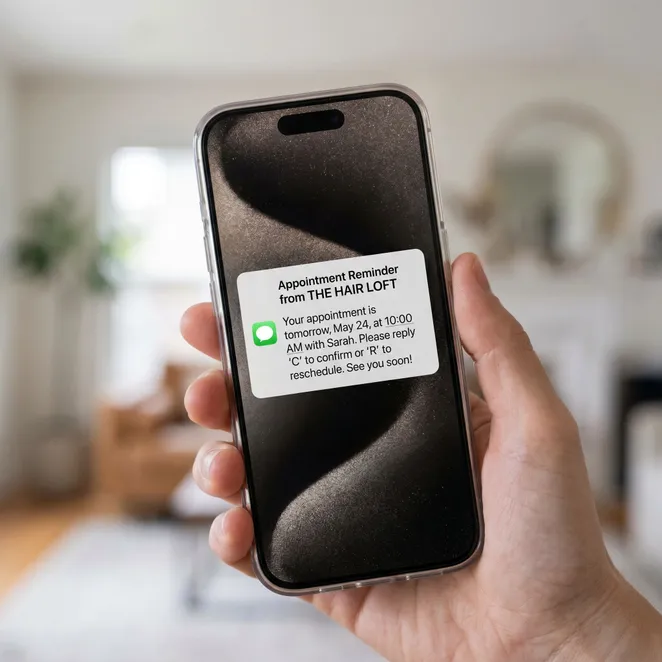
The Psychology of the Reminder
A well-timed appointment reminder text serves as a helpful nudge rather than a demand. It builds trust by showing you value the client's time as much as your own.
Free Text Message Appointment Reminders: Core Templates
If you are looking for text message appointment reminders free of charge, you can start by manually sending these scripts to your upcoming clients.
Templates for Specific Industries
Different services require different tones. A medical spa might need a more formal tone, while a barbershop can be casual.
| Industry | Tone | Key Info to Include |
|---|---|---|
| Hair Salon | Friendly | Stylist Name, Prep Instructions |
| Med Spa | Professional | Pre-treatment Care, Arrival Time |
| Wellness | Calm | Parking Info, Cancellation Policy |
Best Practices for Text Reminders for Clients
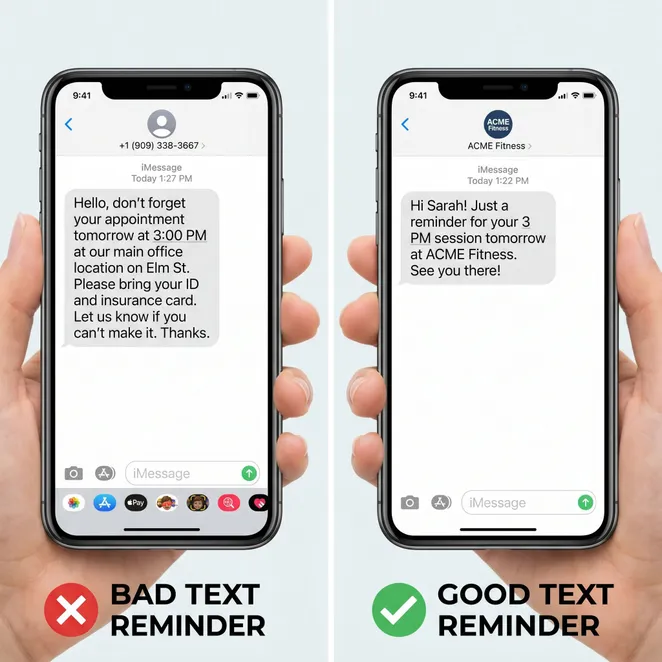
- Keep it under 160 characters to avoid splitting messages.
- Always include the business name in the first 5 words.
- Provide a clear action item (e.g., 'Reply 1 to confirm').
- Include a link to your cancellation policy if applicable.
- Send the message during business hours to avoid annoyance.
Timing Your Messages
Timing is everything. Sending a reminder too early leads to forgetfulness; too late leads to missed cancellation windows.
48 Hours Before
Initial reminder to allow for rescheduling within the typical 24-hour window.
24 Hours Before
Final confirmation request to lock in the slot.
2 Hours Before
A 'see you soon' text for high-traffic or high-value services.
How to Send Professional SMS Reminders to Clients
Learning how to send sms reminders effectively involves choosing between manual outreach and automated systems.
Do
- Use the client's first name for personalization.
- Mention the specific service they booked.
- Include your phone number for easy callback.
Don't
- Don't use excessive emojis or all-caps.
- Don't send messages after 8 PM.
- Don't forget to include the date and time.
Automating Your Workflow
Manual texting is fine for 5 clients a week, but for a growing business, you need automated sms reminders to save time.
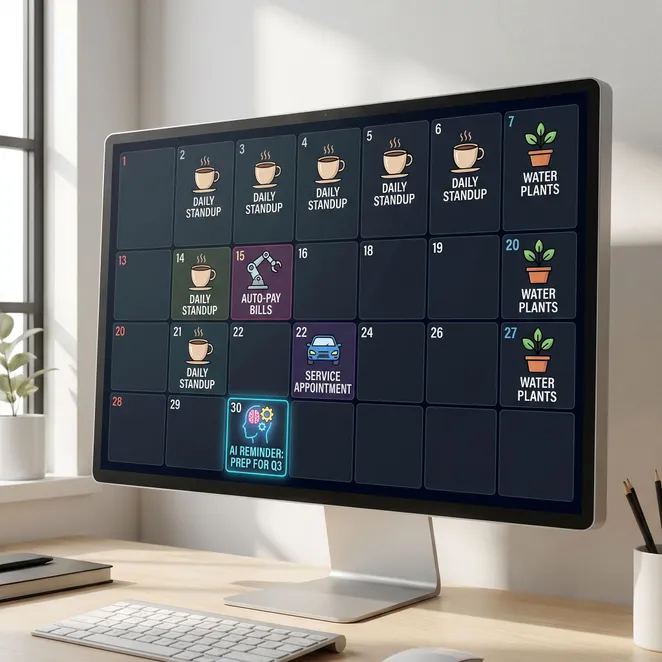

Integrating with Your Booking Software
Most modern platforms allow you to set up an appointment reminder text that triggers automatically based on your calendar events.
Advanced Scripts for Rebooking
Reminders aren't just for upcoming appointments. They can also be used to win back drifting clients who haven't visited in a while.
The Power of Reply-to-Book
Removing the need for a login or a link increases conversion rates significantly. When a client can book by simply replying with a number, you capture their intent instantly.
Frequently Asked Questions
How many reminders should I send?+
Can I send free text message reminders?+
What if a client doesn't reply?+
Should I include a link in the text?+
Is SMS better than email for reminders?+
Comparing Manual vs. Automated Reminders
Pros
- Zero software costs
- Highly personal touch
- No technical setup
Cons
- Extremely time-consuming
- Easy to forget to send
- Hard to track results
Finding Free Resources
For small studios, using free text message reminders can be a great way to start seeing the benefits of SMS without upfront investment.
Bridging the Gap: From Reminders to Retention
A reminder keeps the current appointment, but a proactive rebooking strategy keeps the client for life. This is where rebook.help transforms your business.
While standard reminders are reactive, rebook.help is proactive. It identifies when a client is 'drifting' and sends a low-friction reply-to-book message before they look elsewhere.
Over 500 salons use rebook.help to fill their gaps.
Updated June 2026
Why rebook.help is Different
Unlike generic SMS tools, rebook.help integrates directly with your calendar to offer specific, available slots. It's like having a concierge working 24/7 to fill your chair.
- Syncs with Square, Vagaro, and Mindbody
- No links for clients to click
- Automated drift detection
- Calendar-aware slot selection
rebook.help filled three gaps in my Tuesday morning schedule within an hour of turning it on. My clients love how easy it is.
Ready to Eliminate No-Shows and Fill Your Calendar?
Stop losing revenue to empty slots and drifting clients. Start using the scripts above today, or automate the entire process for maximum efficiency.
Start Your Free Rebooking Trial
Turn your drifting clients into confirmed appointments with our zero-friction SMS automation.
Discover More About SMS Strategy
- Client Retention
- SMS Templates
- 2026 Trends
- Automation