Implementing Automated Appointment Reminder Text Solutions
Reducing no-shows and maximizing your daily schedule starts with a reliable appointment reminder text strategy. By using automated SMS, local service businesses can ensure clients stay informed and arrive on time without manual effort.
- Average SMS Open Rate
- 98%
- Reduction in No-Shows
- 40%
- Faster Response than Email
- 3x
Why SMS is the Standard for Appointment Reminders
In 2026, an appointment reminder sms is the most effective way to reach clients. Unlike emails that get lost in spam or phone calls that go to voicemail, text messages are read almost instantly.
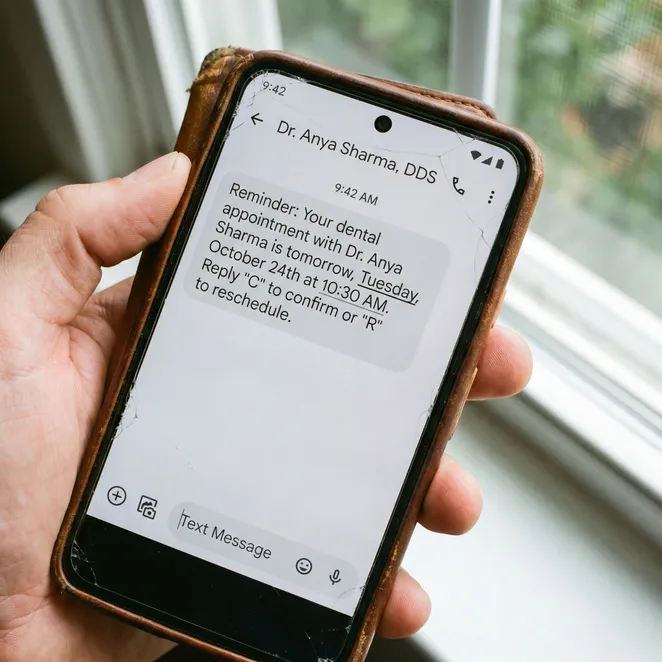
Core Components of an Effective Reminder Text
A successful appointment sms text must be concise and actionable. It should include the business name, the specific service, and the exact time of the visit.
- Business name for instant recognition
- Date and time of the appointment
- Service type (e.g., Hair Color, Massage)
- Clear instructions for confirmation or rescheduling
- Address or a link to directions
How to Set Up Your Appointment Reminder SMS
Transitioning to automated systems requires a clear workflow. Most businesses start by integrating their existing calendar with a dedicated text message appointment reminders tool.
Sync Your Calendar
Connect your booking software to your SMS provider to pull real-time appointment data.
Draft Your Templates
Create standardized messages that automatically pull in client names and times.
Set the Cadence
Determine when to send reminders—typically 24 hours and 2 hours before the visit.
Enable Two-Way Messaging
Allow clients to reply so you can handle changes without a phone call.
Optimizing Your Reminder Timing
Timing is everything when sending appointment reminders via text. Sending too early leads to forgetfulness, while sending too late doesn't allow you to fill a canceled slot.
| Reminder Type | Ideal Timing | Primary Goal |
|---|---|---|
| Confirmation | At time of booking | Establish the appointment |
| Primary Reminder | 24-48 hours before | Reduce no-shows |
| Final Alert | 2-4 hours before | Ensure on-time arrival |
Best Practices for Professional Texting
When you send text message reminders for appointments, maintaining a professional tone is vital. You want to sound helpful, not intrusive.
Do
- Keep messages under 160 characters
- Include your business phone number
- Use the client's first name
- Provide a clear opt-out option
Don't
- Don't use excessive emojis or slang
- Don't send messages after 8 PM
- Don't forget to mention the location
- Don't send more than three reminders
Compliance and SMS Regulations
Before you start a text appointment campaign, ensure you have explicit consent. TCPA regulations require businesses to obtain 'opt-in' permission before sending automated texts.
Transitioning from Alerts to Rebooking
While a reminder of appointment text is great for attendance, the real revenue growth comes from rebooking. Modern systems now allow for sms appointment scheduling directly in the thread.
Reducing Friction with Reply-to-Book
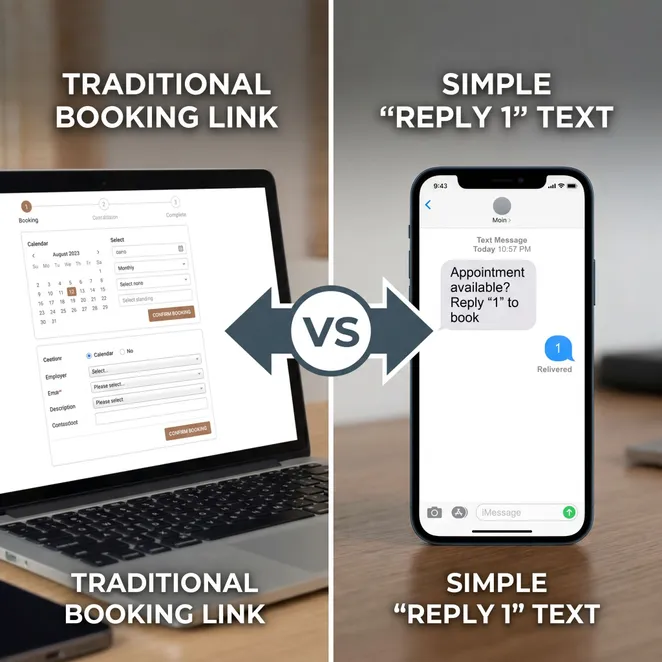
The next evolution of the appt reminder text is the ability to book the next visit with a single digit. This removes the need for clients to navigate complex booking links.
Integrating with Your Existing Tools
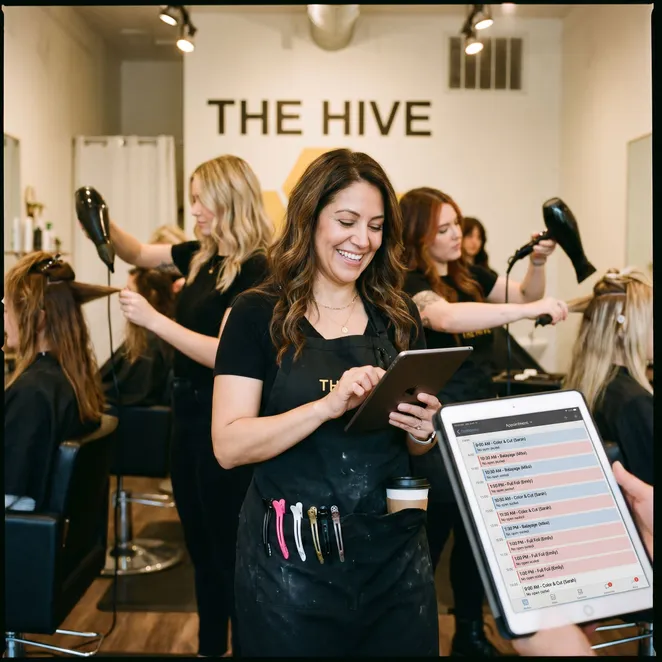
You don't need to replace your current software to get better results. Many providers offer square appointments automation to enhance your existing booking data.
Handling Rescheduling via Text
When a client receives a reminder text for appointment and realizes they can't make it, your system should handle the reschedule instantly to keep the calendar full.
- Client replies 'Reschedule' to the reminder
- System offers 2-3 available time slots
- Client replies with their preferred number
- Calendar updates automatically across all devices
The ROI of Automated Reminders
Implementing sms for appointment reminders isn't just an expense; it's a revenue protector. Every saved no-show is direct profit back into your business.
Pros
- Instant delivery and high visibility
- Reduced administrative labor
- Higher client satisfaction
- Easier to track conversion rates
Cons
- Requires initial setup time
- Per-message carrier costs
- Need for accurate client data
Choosing the Right Technology
Finding the right text to book software is essential for scaling your local service business. Look for tools that prioritize the user experience and calendar sync.
Crafting the Perfect Message
Your appointment confirmation text should set the tone for the relationship. It is the first touchpoint after a booking and confirms the client made the right choice.
Common Implementation Mistakes
Even with the best appointment reminder text solutions, some businesses struggle. Avoid these pitfalls to ensure your SMS strategy remains effective.
- Verify all phone numbers are mobile-enabled
- Test templates on multiple device types
- Ensure time zones are correctly synced
- Monitor reply inbox daily
Frequently Asked Questions
How many reminders should I send?+
Can I use my personal phone number?+
Do clients actually prefer text over email?+
What if a client doesn't have a smartphone?+
Is it expensive to automate these texts?+
The Future of Appointment Management
As we move further into 2026, the expectation for 'invisible' software grows. Clients want their service providers to be proactive, making the rebooking process as easy as a single tap.
Automation isn't about removing the human touch; it's about removing the friction that prevents humans from connecting.
How rebook.help Enhances Your Reminders
While standard reminders stop no-shows, rebook.help goes a step further by identifying drifting clients and bringing them back. Our system works with your current tools to turn every text into a revenue opportunity.
Over 5,000 service providers trust rebook.help to fill their calendars.
Updated June 2026
Take the Next Step in Your SMS Strategy
Ready to move beyond simple alerts? Transitioning to a proactive rebooking model ensures your business stays busy without the constant stress of manual outreach.
Start Automating Your Rebookings Today
Join the businesses using zero-friction SMS to fill their calendars and eliminate client drift.
Explore more in Business SMS Marketing
Automating Your Client SMS Workflows for Maximum Retention
Choosing the Best Appointment Text Reminder Service for Your Business
Free Appointment Reminder Templates and SMS Tools
How to Send Professional SMS Reminders to Clients
SMS Marketing for Salons and Wellness Providers
The Evolution of Business SMS Marketing: From Links to Conversions
The Ultimate Guide to Business Text Reminders