Advanced Technical Integrations: Make, Mirth, and BI Tools
Modern service businesses are moving beyond basic booking links toward a unified ecosystem. By leveraging a complex process automation workflow, you can sync data between your scheduling platform and specialized reporting tools without manual entry.
- Technical Guide
- API Integration
- Data Automation
- 2026 Trends
The goal of a make integration is to create a bridge between your front-of-house booking software and your back-office business intelligence. This ensures that every client interaction is captured, analyzed, and used to trigger proactive rebooking.
Understanding Make Workflow Automation
Make (formerly Integromat) serves as the glue for your digital stack. It allows you to build a sophisticated make workflow automation that watches for specific triggers—like a completed appointment—and executes complex logic across multiple apps.
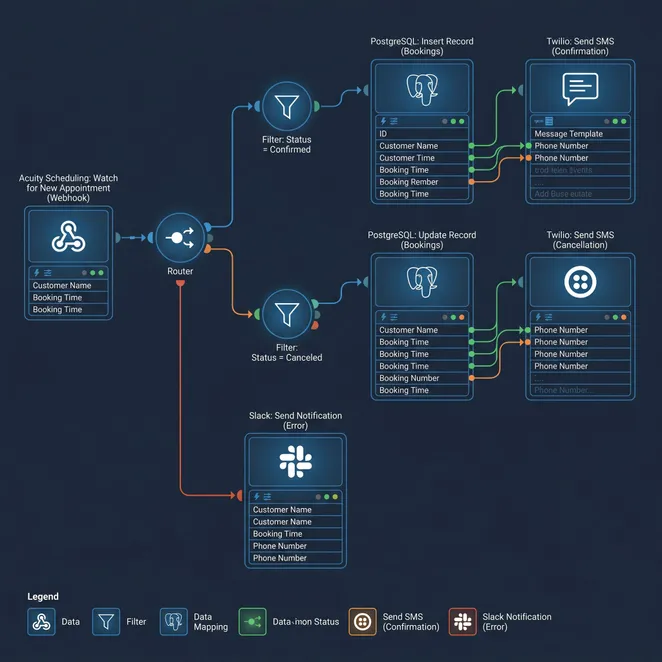
- Trigger: New appointment created in Square or Mindbody.
- Action: Check client history in your BI software tools.
- Logic: Determine if the client is a 'drifting' risk based on past frequency.
- Action: Update your EHR software list or CRM with the latest status.
Mirth Integration for Med-Spas and Wellness
For businesses handling sensitive health data, a mirth integration is essential. Mirth Connect acts as an open-source integration engine that excels at filtering and transforming HL7 data or custom API payloads into readable formats for your team.
Connecting BI Software Tools for Growth
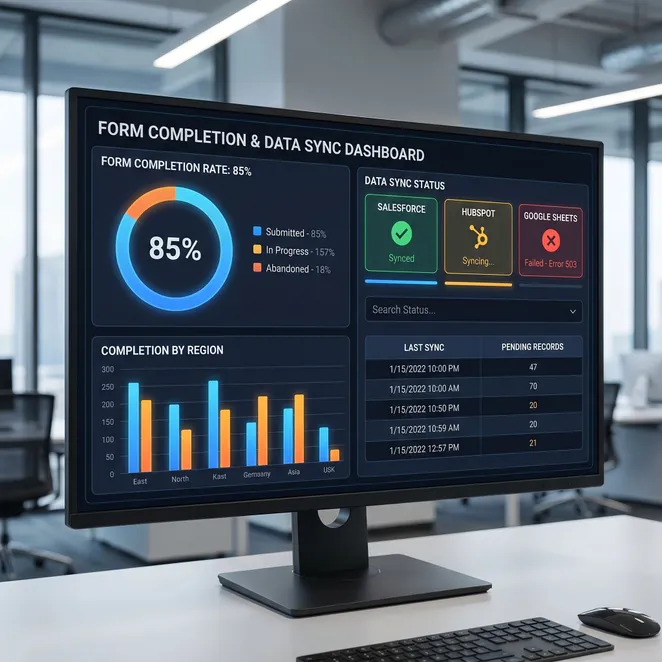
Data is only useful if it is actionable. By connecting your booking data to bi software tools like Tableau or PowerBI, you can visualize churn rates and identify which providers have the highest client retention.
- Retention Increase
- 22%
- Manual Data Entry Reduction
- 100%
- ROI on Automation
- 5.5x
Advanced Mindbody Integration Ideas
Mindbody users often struggle with rigid reporting. Creative mindbody integration ideas include using webhooks to trigger custom forms automation when a client checks in for a specific high-value service.
- Set up a Mindbody webhook for 'Appointment Check-In'.
- Route the payload through a Make scenario.
- Trigger a personalized SMS survey or intake form.
- Log the response directly into your BI dashboard.
Streamlining Forms Automation
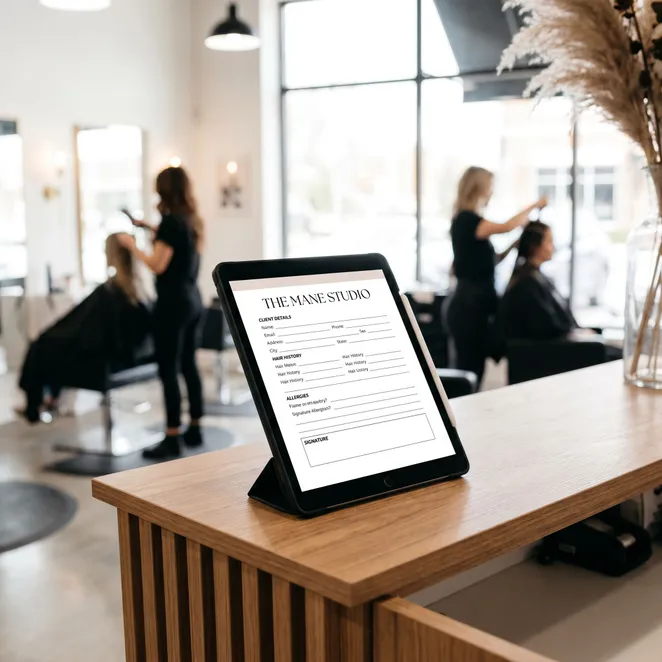
Manual paperwork is a friction point. Implementing forms automation ensures that intake data flows directly into your client profiles, reducing wait times and improving the accuracy of your records.
Building Your EHR Software List
When selecting tools, consult an ehr software list that supports open APIs. This allows you to automate integration between your clinical notes and your marketing outreach, ensuring you never message a client who has an active medical contraindication.
The Power of Automate Integration
To truly automate integration, you must map out every touchpoint in the customer journey. This includes the moment they book, the reminder they receive, and the follow-up after they leave the building.
| Tool Type | Primary Function | Automation Role |
|---|---|---|
| Make | Workflow Orchestration | The Logic Engine |
| Mirth | Data Transformation | The Translator |
| BI Tools | Data Visualization | The Insight Provider |
Common Pitfalls in Technical Workflows
Do
- Use error-handling branches in Make.
- Document every webhook URL used.
- Test with a staging environment first.
Don't
- Hard-code sensitive API keys.
- Ignore rate limits on your booking software.
- Automate without a manual override option.
Bridging Automation to Client Retention
Technical stacks are only as good as the revenue they generate. While you focus on workflow automation, the ultimate goal is to ensure your calendar stays full without constant manual effort.
Optimizing Salon Workflow Automation
In the beauty industry, salon workflow automation can be the difference between a thriving business and one that struggles with no-shows. Integrating your technical tools with SMS allows for immediate action.
Enhancing Square Appointments Automation
If you are already using Square, you can take it a step further with square appointments automation. By connecting Square to a custom database via Make, you can trigger highly personalized rebooking offers based on exact service history.
The Role of Conversation Automation
The final mile of any technical integration is the client interaction. Using conversation automation ensures that your backend logic translates into a seamless, natural text message that clients actually want to reply to.
How rebook.help Fits Your Technical Stack
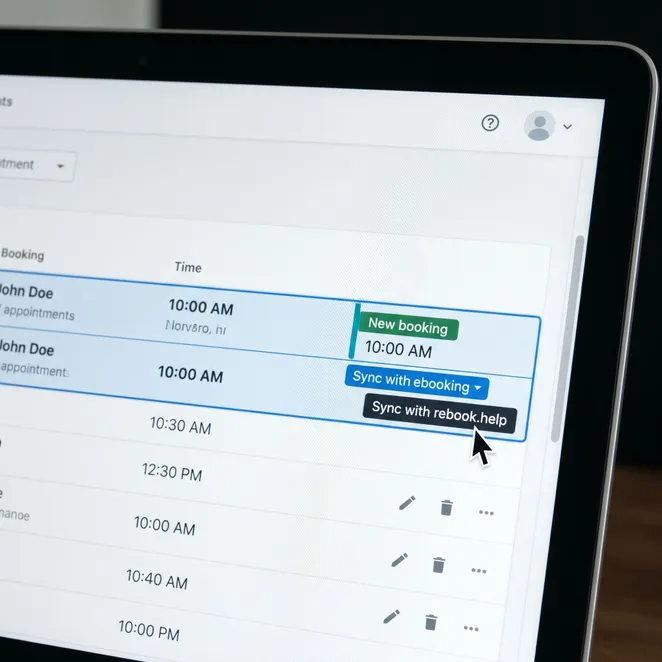
rebook.help isn't a replacement for your booking software or your BI tools; it is the specialized retention layer that sits on top of them. While Make and Mirth move the data, rebook.help uses that data to secure the next appointment.
Why Technical Owners Choose rebook.help
For owners who understand the value of a clean API and structured data, rebook.help offers a zero-friction way to monetize that information. We take the 'drifting client' signals from your BI tools and turn them into confirmed bookings.
Pros
- Simple numeric replies
- Calendar-aware slot selection
- Zero-friction user experience
Cons
- Requires manual link clicking
- Easy for clients to ignore
- High friction login process
Implementation Timeline
Data Audit
Audit your current data flow and identify where client info is stored.
API Connection
Connect your booking platform to rebook.help via our secure API.
Logic Setup
Set your rebooking rules based on service frequency and provider availability.
Go Live
Watch as drifting clients are automatically recovered via SMS.
Frequently Asked Questions
Can I use rebook.help with my existing Make scenarios?+
Which booking platforms are supported?+
How does this differ from standard SMS marketing?+
Real Results from Automated Retention
Integrating our BI tools with rebook.help allowed us to identify exactly when a client was about to drift and catch them with a text before they booked elsewhere.
Over 1,200 service businesses use rebook.help to automate their retention.
Updated June 2026
Next Steps for Your Technical Stack
Ready to stop the revenue leak? Your technical integrations are the foundation, but rebook.help is the engine that drives the results. Let's turn your data into a full calendar.
Turn Your Intent Into Appointments
Connect your booking platform and start recovering drifting clients today with zero-friction SMS rebooking.
Explore More Resources
Explore more in Software Integration Guides
Related categories
For more information on how to optimize your business processes, check out our guide on process automation tools.
Technical integrations are evolving rapidly in 2026. Stay ahead by ensuring your stack is flexible and client-focused.
Whether you are a barber, a salon manager, or a med spa director, the principles of data-driven retention remain the same.
Automate the mundane so you can focus on the craft. Your clients will appreciate the ease of booking, and your bottom line will reflect the efficiency.
This concludes our technical guide on Make, Mirth, and BI tool integrations for the modern service provider.