Workflow Automation Software for Service Businesses
Modern service businesses are moving away from manual coordination toward sophisticated workflow automation software. By implementing these tools, salon and spa owners can ensure that no client falls through the cracks while significantly reducing the time spent on administrative overhead.
- Efficiency
- Client Retention
- 2026 Trends
- Automation
What is Workflow Automation for Service Providers?
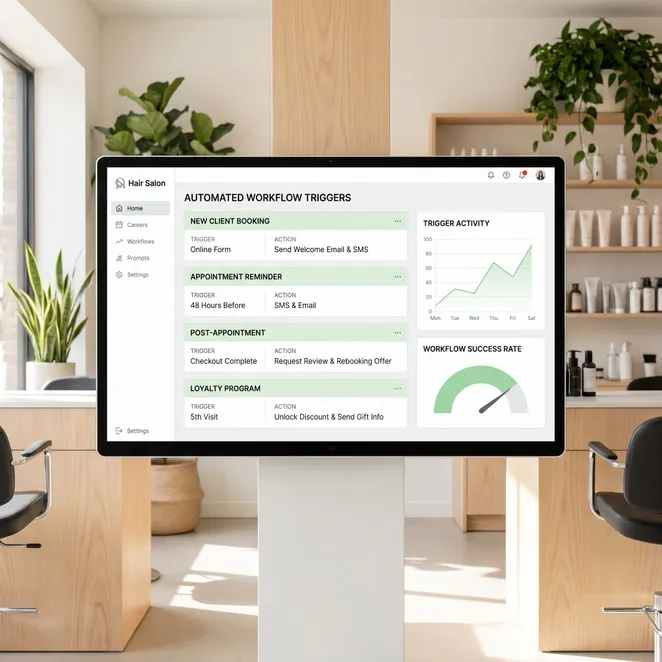
Workflow automation involves using software to automate business workflows that previously required human intervention. For a service business, this often means connecting your booking platform to communication tools to automate repetitive tasks like appointment reminders and follow-ups.
Key Benefits of Task Automation Software
- Elimination of manual data entry between apps
- Consistent client communication without staff effort
- Reduced no-show rates through smart reminders
- Real-time synchronization of staff calendars
- Automated collection of client feedback and reviews
- Weekly admin time saved
- 15 hrs
- Average retention increase
- 22%
- Manual texts required
- 0
Examples of Workflow Automation in Action
Consider the journey of a med spa client. Instead of a receptionist calling to check in, an ai receptionist can handle initial inquiries, while back-end software triggers a rebooking sequence based on the specific treatment received.
- Client completes a service (e.g., Botox treatment).
- Automation software waits 90 days based on service type.
- System checks the live calendar for available gaps.
- A personalized rebooking invitation is sent automatically.
Comparing Top Software Automation Solutions
| Feature | General Apps | Industry-Specific Tools |
|---|---|---|
| Setup Speed | Slow (Custom) | Fast (Pre-built) |
| Calendar Sync | Requires API work | Native Integration |
| Client UX | Link-based | Conversational |
Best Workflow Automation Tools for 2026
The market for workflow automation apps has matured. Business owners now look for 'invisible' software that operates in the background without requiring a new login for every staff member.
How to Choose Your Automation Stack
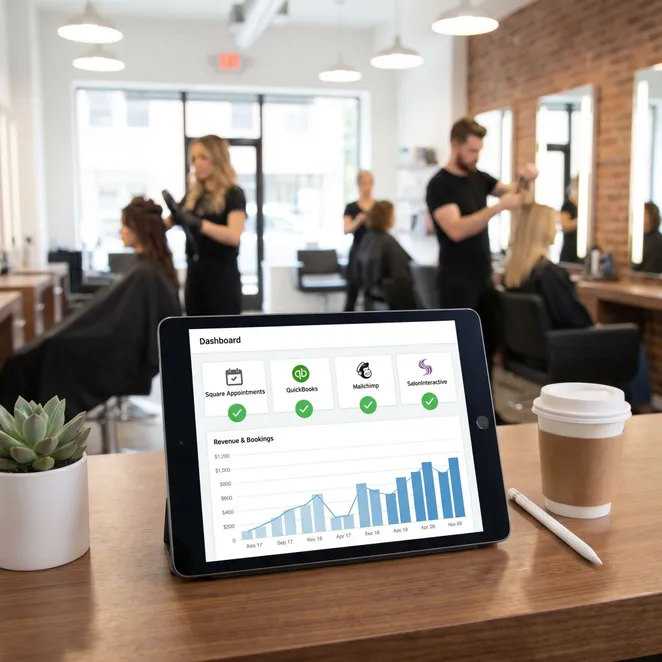
- Does it integrate with my current POS (Square, Vagaro, etc.)?
- Can it read my real-time calendar availability?
- Is the client experience friction-free?
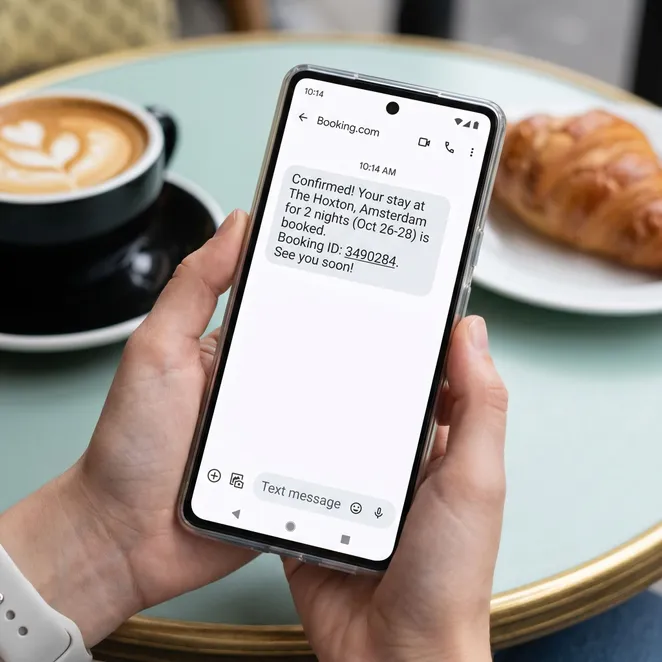
- Does it support two-way SMS communication?
Common Automation Pitfalls to Avoid
Do
- Automate high-frequency, low-value tasks first
- Personalize messages with the client's name
- Test your workflows on your own phone first
Don't
- Over-automate to the point of sounding robotic
- Send messages during late night hours
- Use generic 'click here' links for everything
The Role of Automated Workflow Solutions in Retention
Retention is the lifeblood of service businesses. Automated workflow solutions help identify 'drifting' clients—those who haven't booked within their usual window—and bring them back before they look elsewhere.
Automation isn't about replacing the human touch; it's about making sure the human touch happens at exactly the right moment.
Integrating with Your Existing Booking Software
Most owners don't want to replace their core system. They want to enhance it. Whether you use Square, Boulevard, or Mindbody, the goal is to add a layer of intelligence that drives more value from your existing data.
Why rebook.help is the Ultimate Workflow Layer
While general workflow and process automation tools require complex setups, rebook.help is built specifically for the service industry. It acts as a specialized retention engine that focuses on one high-value outcome: filling your calendar.
Pros
- Zero-friction reply-to-book SMS
- Deep integration with Square and Vagaro
- Calendar-aware slot selection
Cons
- Not for initial lead generation
- Requires an existing client list
- Focused only on rebooking
What Our Partners Say
rebook.help took our Square Appointments data and turned it into a revenue machine. We saw a 30% increase in rebookings in the first month without lifting a finger.
Explore More Automation Resources
Frequently Asked Questions
Does this replace my booking software?+
How long does it take to set up?+
Is it easy for clients to use?+
Ready to Automate Your Rebooking?
Stop losing revenue to client drift. Let rebook.help handle your follow-ups and fill your calendar automatically.