Square Appointments Automation & Rebooking Guide
Maximizing your calendar efficiency requires more than just a digital booking page. By mastering square appointments automation, you can ensure that your most loyal clients never drift away due to a missed follow-up or a busy schedule.
- Average client drift rate without automation
- 35%
- Increase in rebooking frequency via SMS
- 2.4x
- Manual outreach required with proper setup
- 0 min
Understanding Square Appointments Rebooking Logic
The core of square appointments rebooking lies in identifying the 'sweet spot'—the exact window when a client is likely to need their next service but hasn't yet booked it. This proactive approach prevents gaps before they happen.
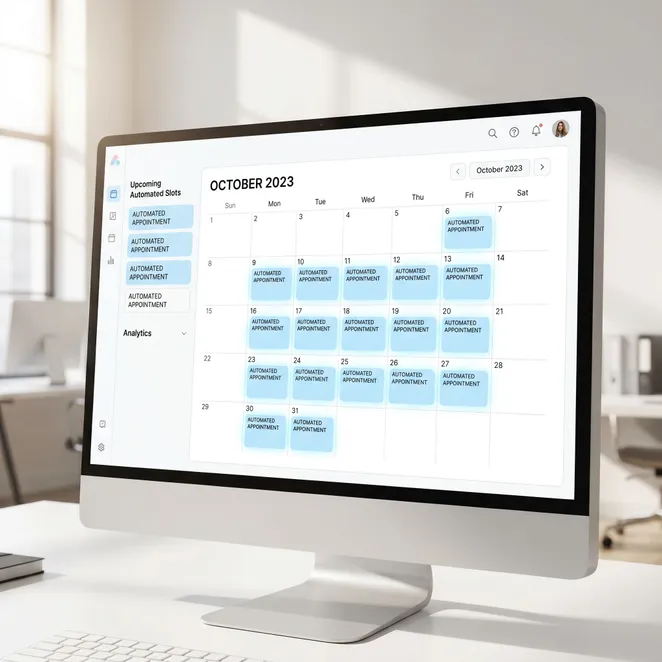
Top Square Appointments Hacks for Busy Professionals
- Use 'No-Show Protection' to reduce last-minute cancellations.
- Enable 'Client Self-Rescheduling' to save administrative time.
- Set up custom 'Service Durations' for specific high-value clients.
- Utilize 'Resource Management' to prevent overbooking shared equipment.
Setting Up Automated Appointment Reminders
Standard automated sms reminders are the first line of defense against no-shows. In Square, you can customize these to send 24 or 48 hours in advance to keep your schedule firm.
Do
- Personalize the client's name in every text.
- Include a clear 'Reply to Confirm' instruction.
- Send reminders during business hours.
Don't
- Don't send more than two reminders per visit.
- Don't use overly technical jargon in messages.
- Don't forget to update your contact list regularly.
How to Eliminate Client Drift Automatically
Client drift occurs when a regular customer misses their usual cadence. By using an automated appointment filler, you can target these specific individuals with personalized availability.
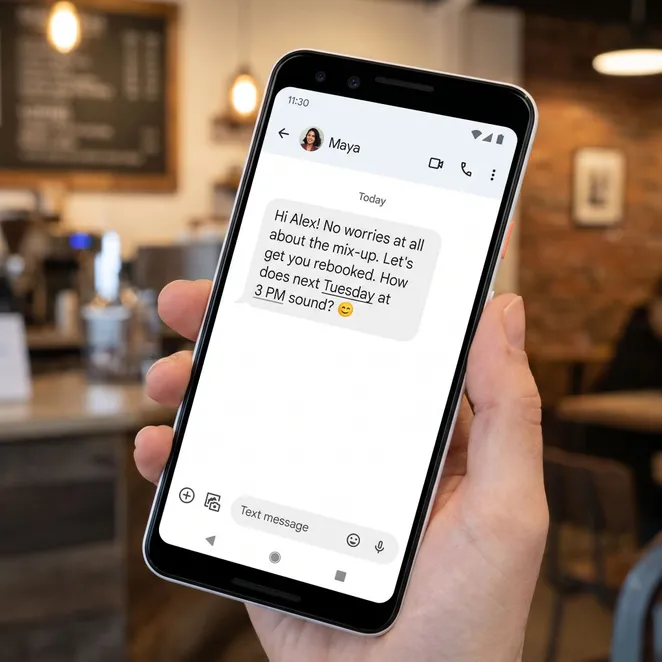

Comparing Manual vs. Automated Rebooking
| Feature | Manual Outreach | Square Automation |
|---|---|---|
| Time Spent | 5-10 hours/week | Near zero |
| Consistency | Varies by staff | 100% reliable |
| Client Friction | High (Phone calls) | Low (SMS replies) |
Advanced Square Integration Workflows
To truly scale, you need a robust text to book software that talks directly to your Square API. This allows the system to see when a client was last in and suggest the next best time.
Step 1: Syncing Your Client Database
Ensure your Square customer directory is clean. Group clients by service frequency—such as '4-week fades' or '6-week color'—to trigger the right automation.
Step 2: Defining Your Availability Windows
Automation works best when it knows which slots you want to fill first. Prioritize mid-week mornings or 'awkward gaps' between existing appointments.
The Psychology of Zero-Friction Booking
The easier you make it for a client to say 'yes', the more likely they are to stay loyal. Removing the link and replacing it with a reply is the ultimate retention hack.
Common Questions About Square Automation
Can I automate rebooking for specific services only?+
Does this replace my existing Square reminders?+
What happens if a client replies with a question?+
Workflow Checklist for Square Users
- Enable Square Appointments API access
- Audit client phone numbers for SMS compatibility
- Define 'drift' periods for each service type
- Draft your first rebooking SMS script
Bridging the Gap with rebook.help
If you are looking for the right text to book software to sit on top of your Square account, rebook.help is designed specifically for this purpose.
How rebook.help Enhances Square Appointments
Integration
Connect rebook.help to your Square account in seconds via secure API.
Detection
The system identifies clients who haven't rebooked within their usual timeframe.
Outreach
A personalized SMS is sent offering 3 specific time slots that fit your calendar gaps.
Confirmation
The client replies with a number, and the appointment is written directly back to Square.
The Impact on Your Bottom Line
By implementing a text to schedule appointment system, you aren't just saving time; you are capturing revenue that would otherwise go to a competitor.
Success Stories: Square Users
We saw a 20% increase in monthly bookings within the first 30 days of automating our rebooking. It's like having a full-time receptionist who never sleeps.
Getting Started with Proactive Rebooking
Ready to take your Square Appointments to the next level? Automation is no longer a luxury for large chains—it is a necessity for every independent professional in 2026.
Automate Your Square Rebooking Today
Stop losing clients to drift. Connect rebook.help to Square and fill your calendar automatically.
Deepen Your Automation Knowledge
Alternative Platform Strategies
If you are exploring other options or manage multiple locations on different systems, check out our other integration guides.
- Square
- Vagaro
- Boulevard
- Mindbody
Final Thoughts on Square Hacks
The best square appointments hacks are those that work in the background while you focus on your craft. Automation is the key to a sustainable, stress-free business.
Join 500+ Square professionals using rebook.help
Updated for June 2026
Explore More in Software Integration Guides
Explore more in Software Integration Guides
Related Categories
Related categories
Thank you for reading our comprehensive guide to Square Appointments automation. We are committed to helping you grow your service business through smarter communication.